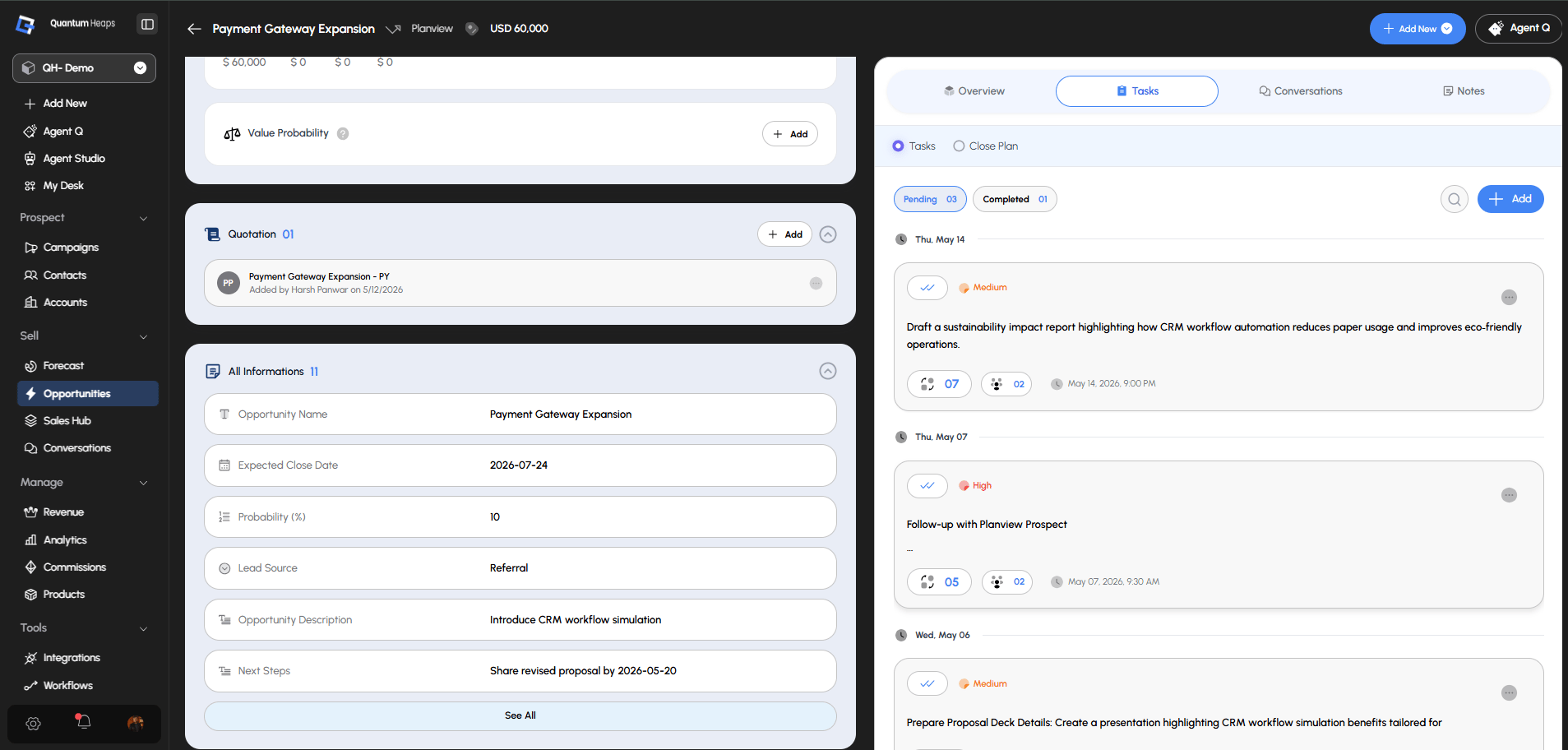
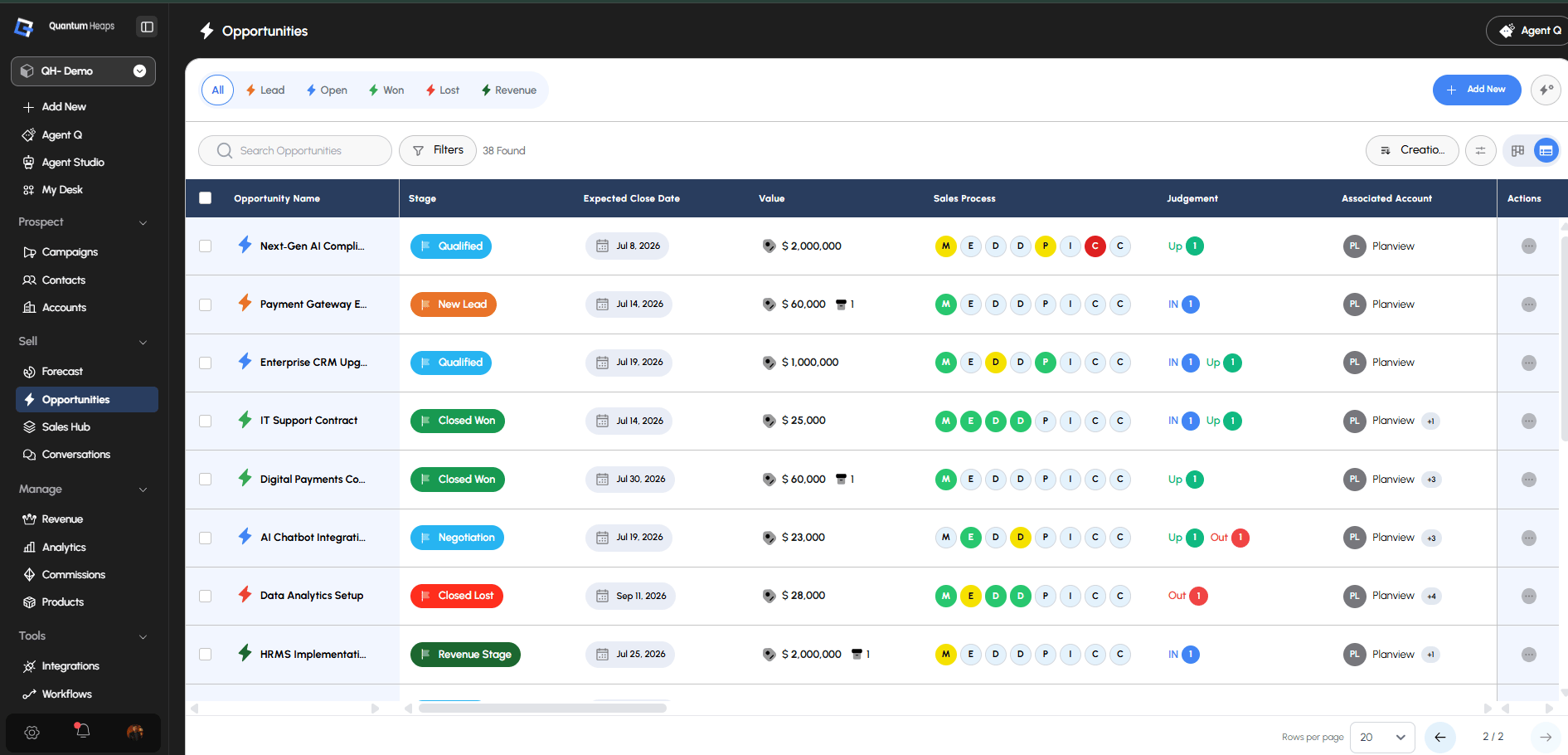
What Opportunities Are Used For Use the Opportunities module to:
- Track and manage every deal from creation through close, won or lost
- Score deal health and flag risk before it costs you the deal
- Coordinate who’s involved — accounts, contacts, and your own team members
- Record judgement calls (IN / UP / OUT) on where a deal really stands
- Keep a full audit timeline of everything that happened on the deal
Creating an Opportunity
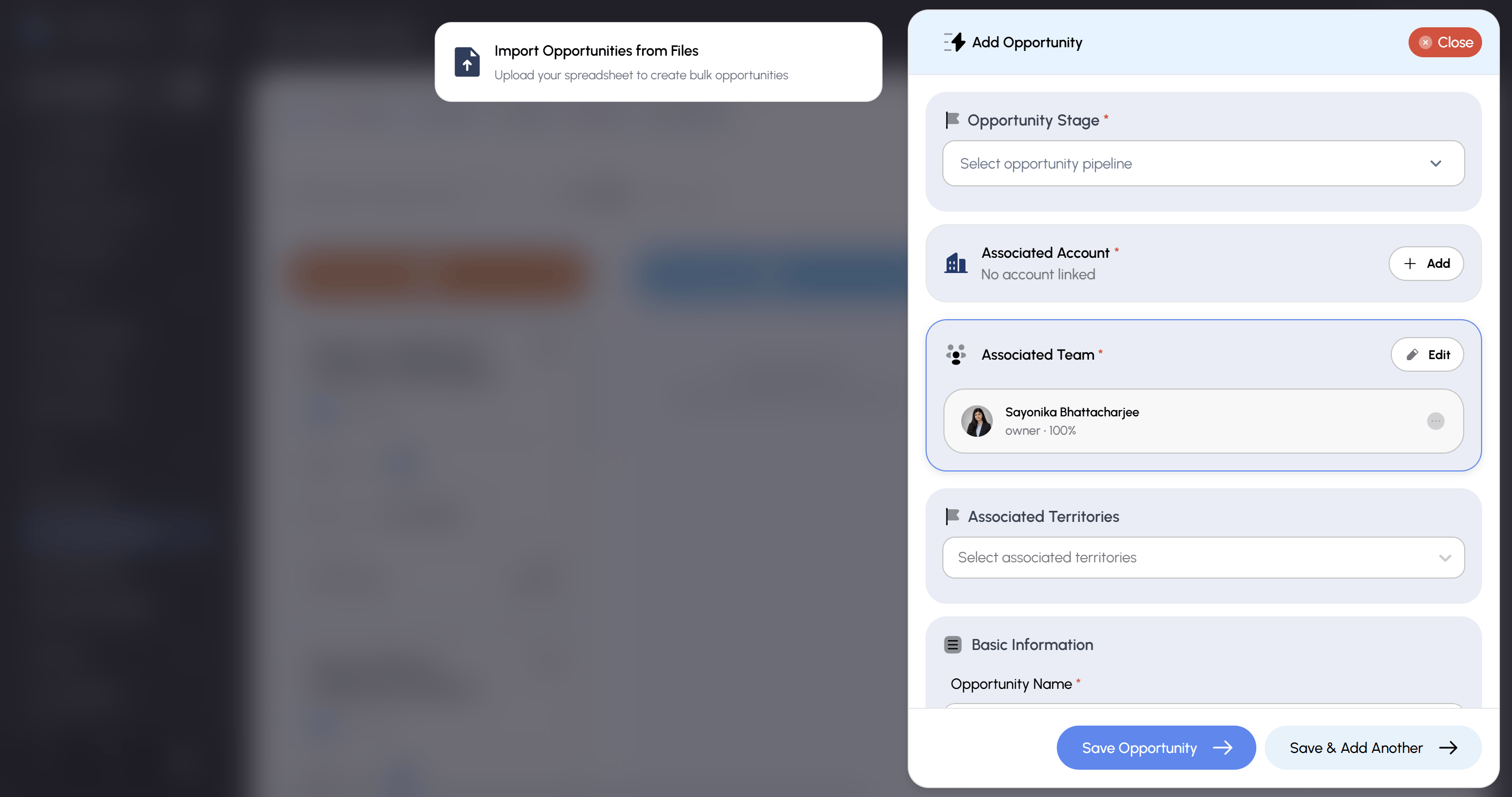
Click Create Opportunity on the landing page (or create one inline from an account or contact record), then fill in:- Required: Opportunity Name, Pipeline, Stage, Associated Account
- Optional: Opportunity Value, Expected Close Date, Probability (0–100), Lead Source, Description, Next Steps, Associated Contact, Associated Team Member
How to Configure Your Pipeline
Admins manage pipeline structure from Opportunities Settings (gear icon next to Create Opportunity):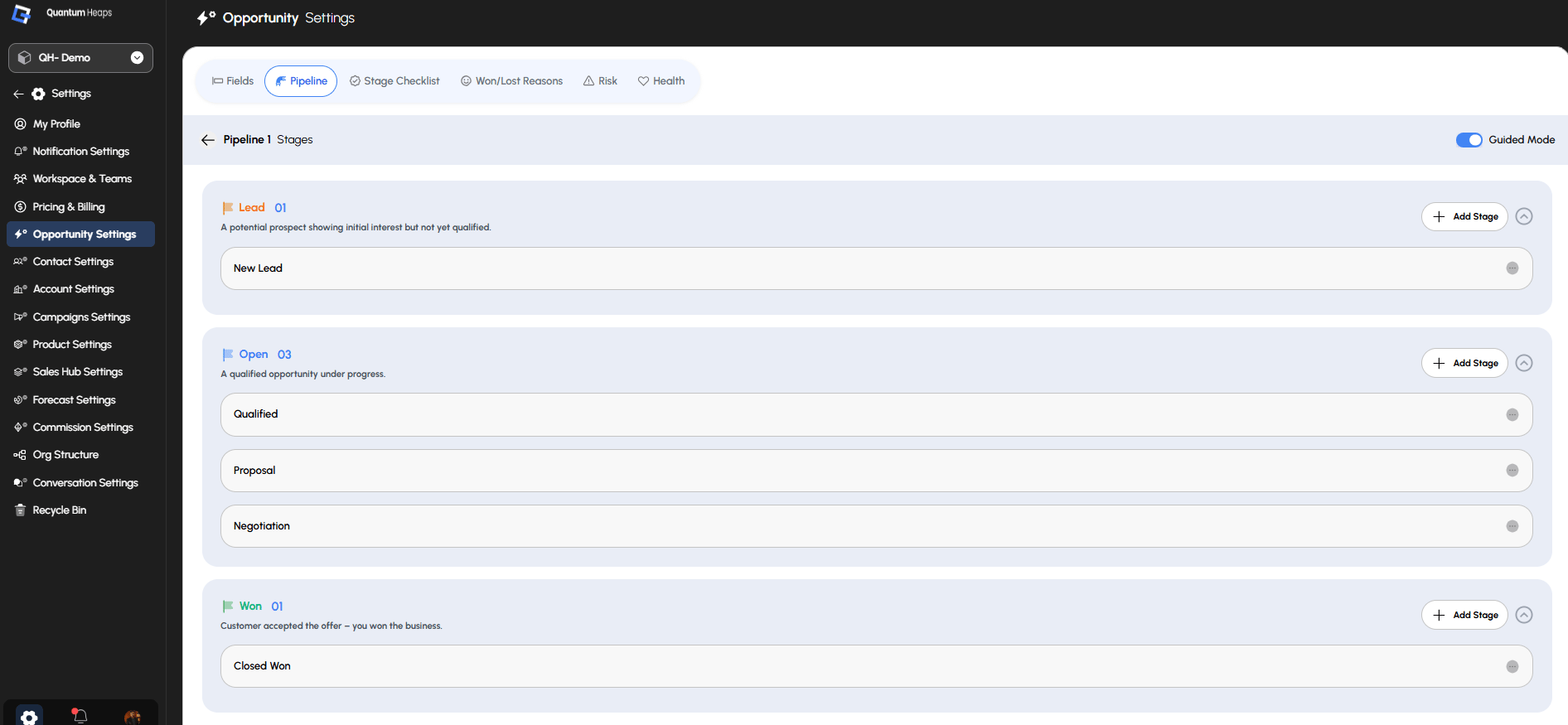
Open the Pipeline tab, add a pipeline, then add stages inside it — each stage can be marked for forecast consideration. 2. Add stage-advancement checklists (optional)
Open Stage Checklist, select a pipeline, and add checklist questions tied to opportunity fields — this blocks reps from advancing a deal’s stage until the criteria are met. 3. Define Won/Lost reasons
Open Won/Lost Reason and add the reasons reps choose from when they close a deal won or lost. 4. Turn on risk tracking
Open Risk and activate the risk types you want tracked — stage-based risk, risk from a past close date, an upcoming close date, no conversation, no activity, or specific contact roles not engaging. 5. Choose your health scoring method
Open Health and select how your team measures qualification: MEDDPICC, MEDPIC, or BANT.
Viewing and Managing an Opportunity Open any opportunity to see:
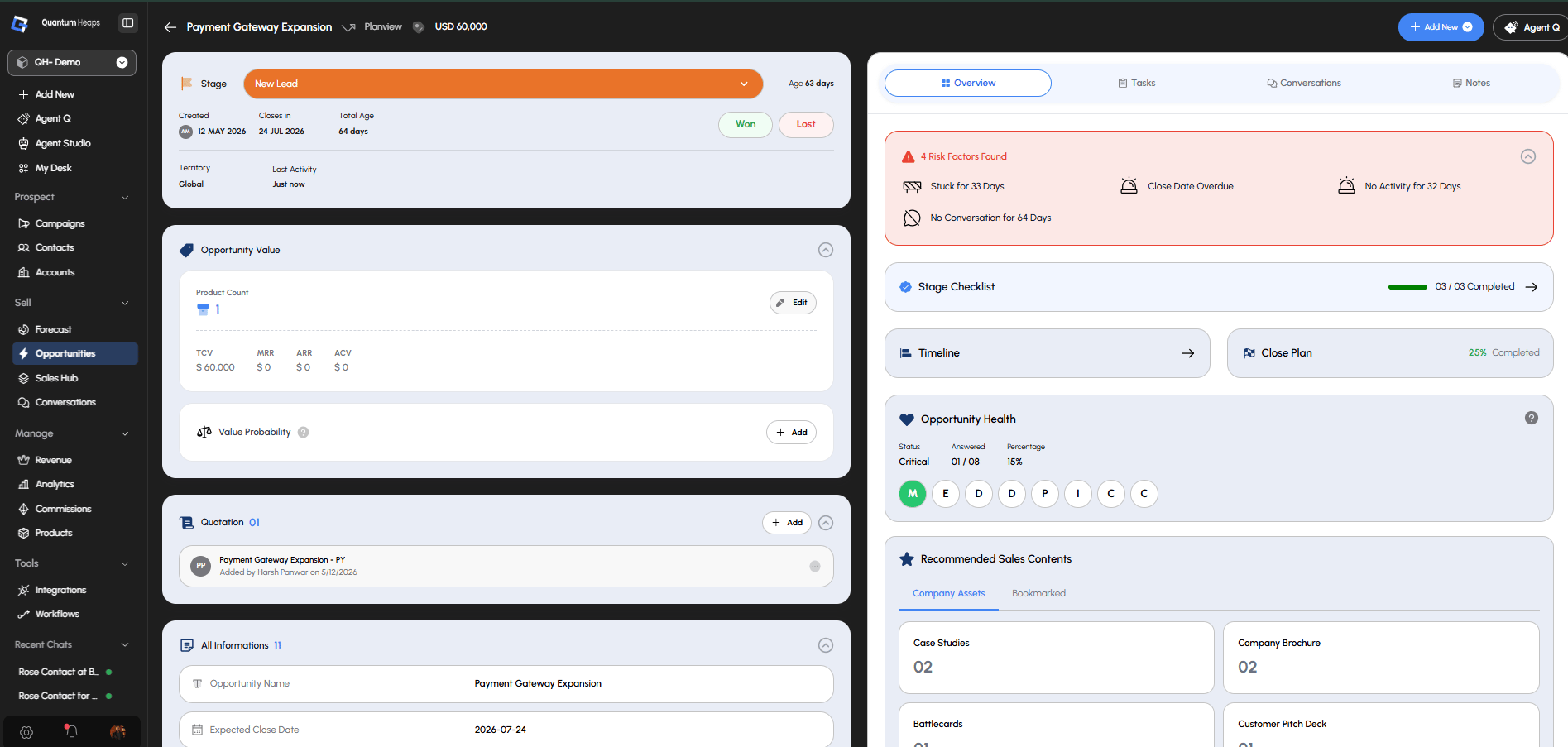
- Core Fields — Name, Pipeline, Stage, Value, Close Date, Probability, Lead Source, Description, and Next Steps, all editable inline. Changing the stage reflects across every linked account and contact.
- Associated Accounts / Contacts — every linked record, with a primary flagged on each; if you remove the primary, the system auto-reassigns a new one from what’s left
- Associated Team Members — who’s working the deal
- Files & Quotations — upload supporting documents, and add or download quotations directly on the record
- Judgement — set your own call on the deal (IN / UP / OUT) and see your team’s judgements too
- Opportunity Health — score the deal against your chosen framework (e.g., answer Yes/Partially/No for each MEDDPICC letter) to see its live health
- Stage Checklist — answer the configured checklist questions before advancing the stage
- Close Plan — add milestones to map out what needs to happen before the deal closes
- Recommended Sales Content — surfaced assets from Sales Hub relevant to this deal
- Timeline — a full history of every change and activity on the deal
Tasks, Conversations, and Notes
Just like on a contact or account:- Tasks — create follow-ups with an assignee, due date, and optional file
- Conversations — log calls, meetings, and emails directly on the opportunity, searchable by date, associated contact/account/team member, or email status
- Notes — log freeform text with optional attachments, visible to anyone with access to the deal