What Agent Studio Is Used For Use Agent Studio to:
- Create a special agent focused on one job — like ICP discovery, lead scoring, or meeting prep
- Start from a pre-built template instead of writing instructions from scratch
- Control exactly which CRM modules and permissions each agent can access
- Manage a library of agents — published, draft, or deactivated
Your Agents
Below the templates, Your Agents shows every agent you’ve created as a card — name, description, number of configured sections, scope (e.g., “web on,” “crm-scoped”), and when it was last edited. Active agents show a Deactivate button directly on the card. Click + Create special agent to start a new one from scratch or from a template.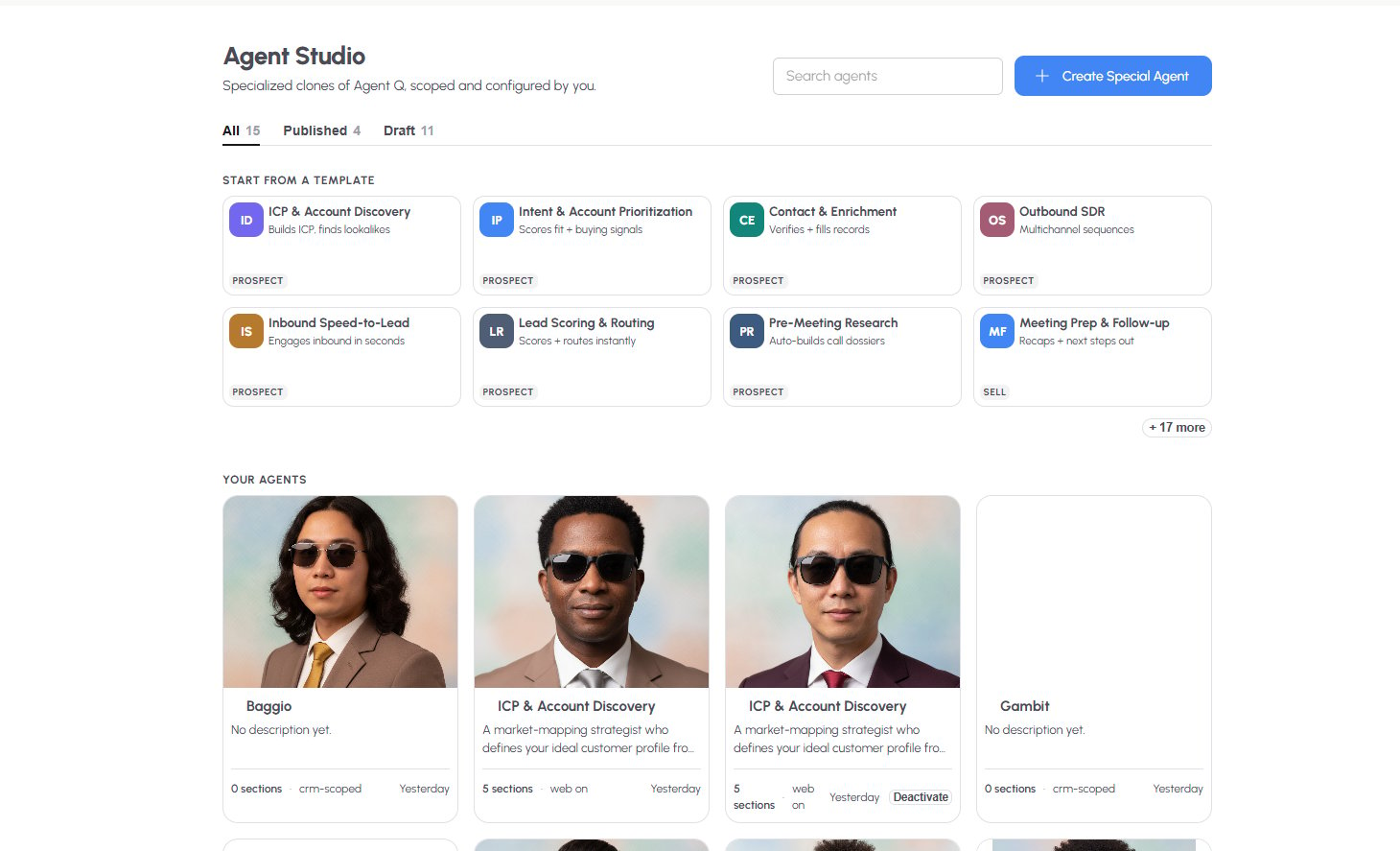
Building a Special Agent
Click + Create Special Agent, or open an existing agent, to configure it across several sections:Instructions
Write what the agent should do when it runs — Quantum Heaps supports a detailed system prompt (up to 8,000 characters) where you typically define:- Core Responsibilities — the numbered steps the agent follows (e.g., Define, Validate, Discover, Dedupe, Refresh)
- Data Access — what it can read vs. write, and where
- Response Format — how it should structure its output