**Overview:-**Campaigns Settings is where admins configure the fields, stages, and tags used across the Campaign module — right now shown scoped to Events, one of Campaigns’ five sub-modules (Leads, Events, Email Sequences, Forms, Settings).

Where to Find It

  1. Click the Settings icon in the bottom-left corner
  2. Select Campaigns Settings from the sidebar
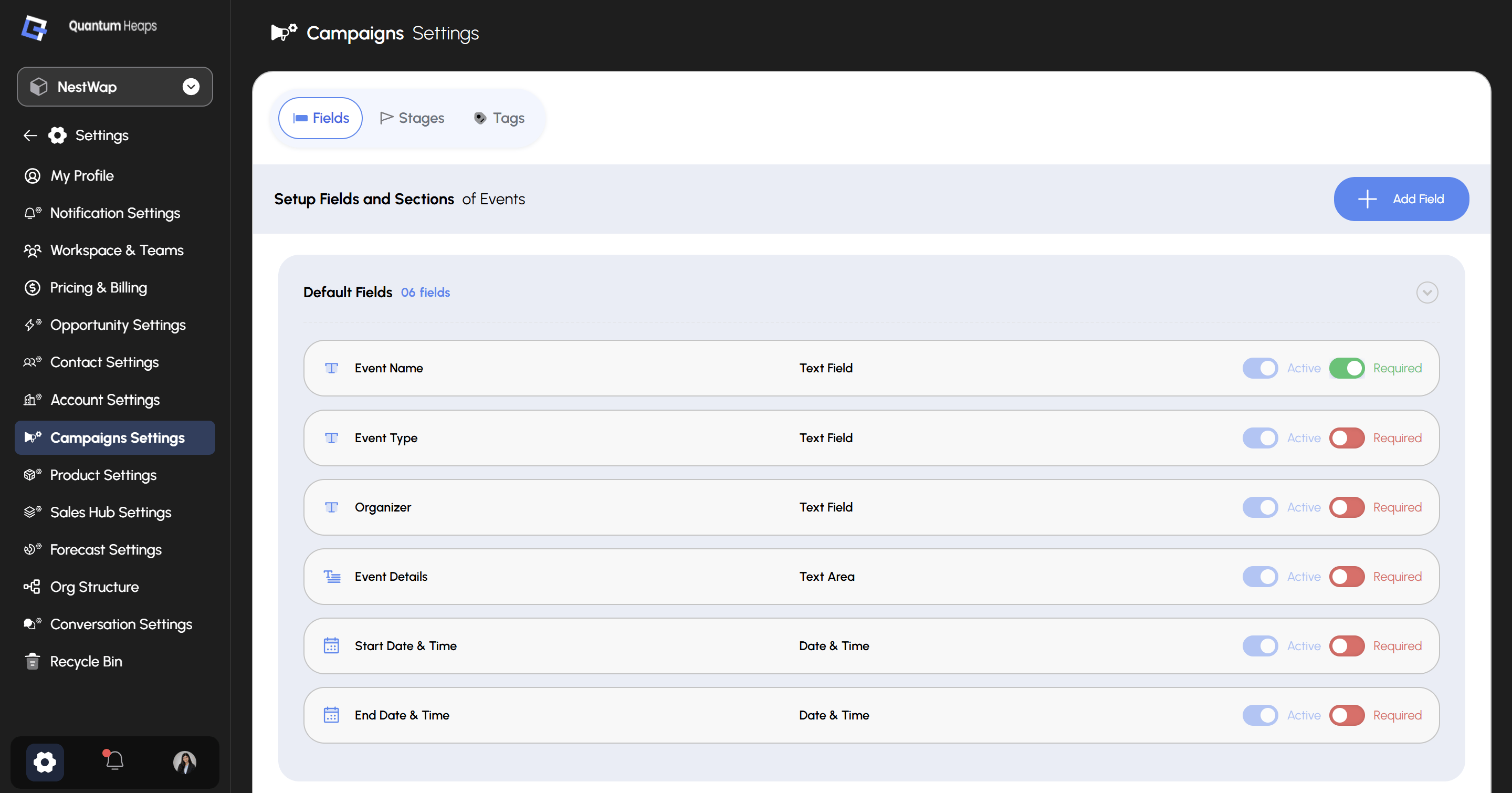
Screenshot 2026 07 15 202616
Three tabs sit across the top: Fields, Stages, and Tags.

Fields

The Fields tab controls which fields appear on Campaign forms and detail pages — currently showing Setup Fields and Sections of Events. Default Fields shows 6 built-in fields, each with two independent toggles:
Click + Add Field to create a custom field beyond the defaults — you’ll select its section and field type, and can set field-level permissions per role at the same time. Field order set here persists and is reflected everywhere the field is displayed.

Stages

Use the Stages tab to define and manage the stages your Campaign records move through — the same pattern as Contacts and Accounts: add a stage, reorder with the drag handle, and edit or delete from the 3-dot menu.

Tags

Use the Tags tab to create and manage tags available across Campaigns — useful for categorizing leads, events, and sequences beyond what stages and fields capture.