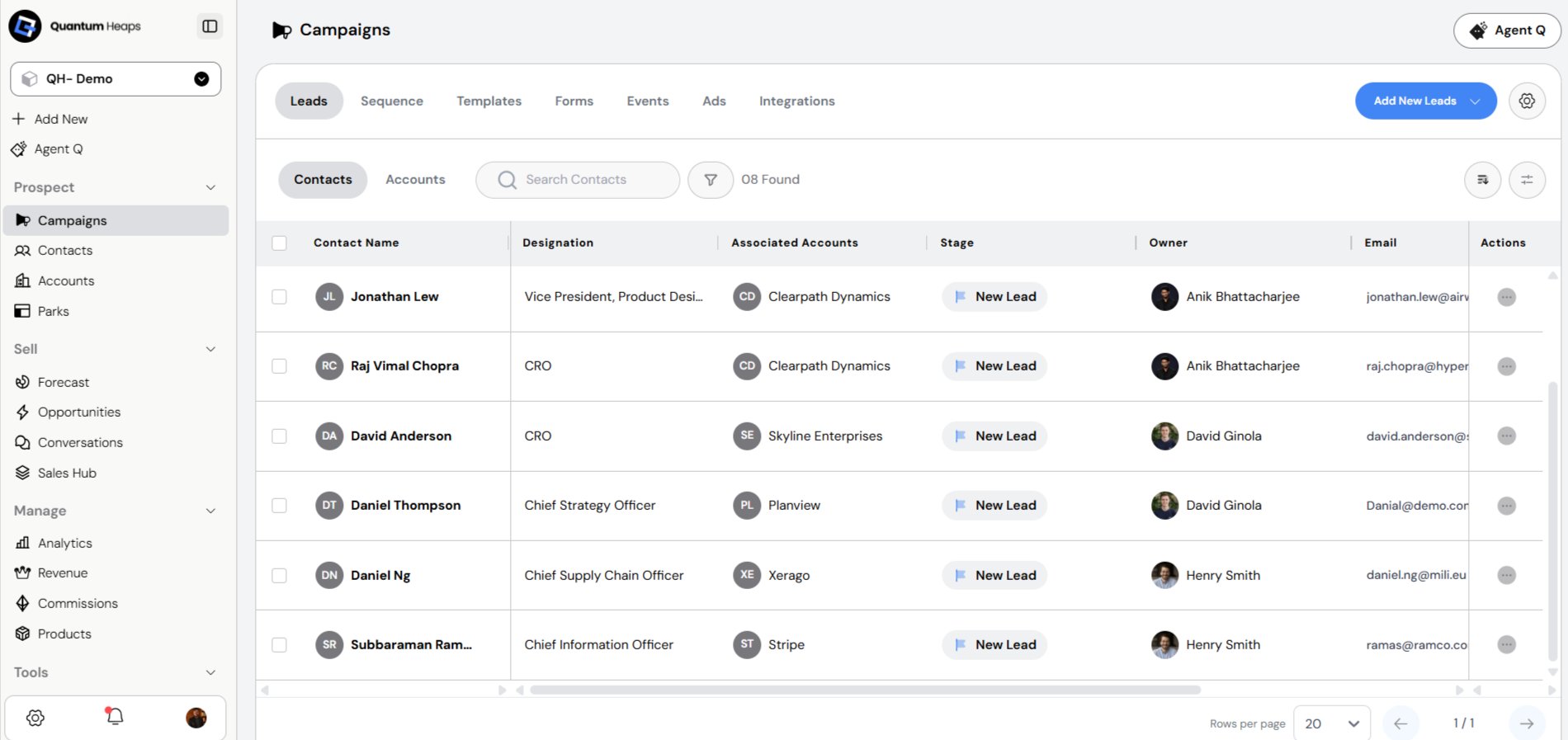
- Manage leads — contacts and accounts being targeted for outreach
- Run and track events as part of your go-to-market motion
- Build and send email sequences to nurture prospects
- Create web forms to capture new leads
- Configure custom fields, stages, and tags to fit how your team organizes campaign records
- Add Contact Manually — enter contact details yourself
- Add Contact via GTM — pull a contact automatically from a connected GTM source
- Add Account Manually — enter account details yourself
- Add Account via GTM — pull an account automatically from a connected GTM source
- Import Lead into the System- To add leads in bulk instead of one at a time, use Import — this lets you import both contacts and accounts directly into the campaign
Email Sequence:-
In Quantum Heaps Email Sequences allow teams to create and manage automated multi-step email outreach flows. The Email Sequences sub-module has two sections: the Sequences list and the Templates library.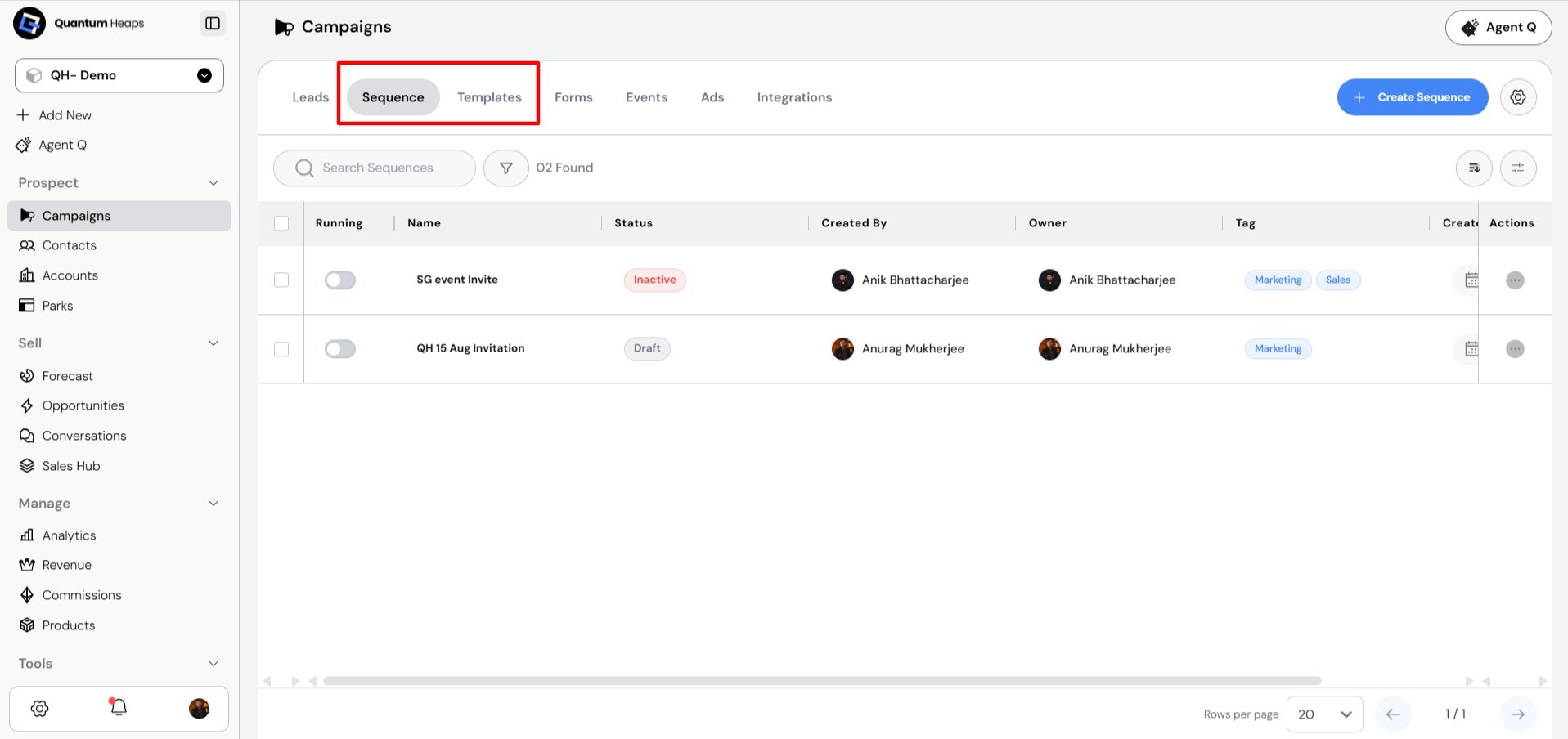
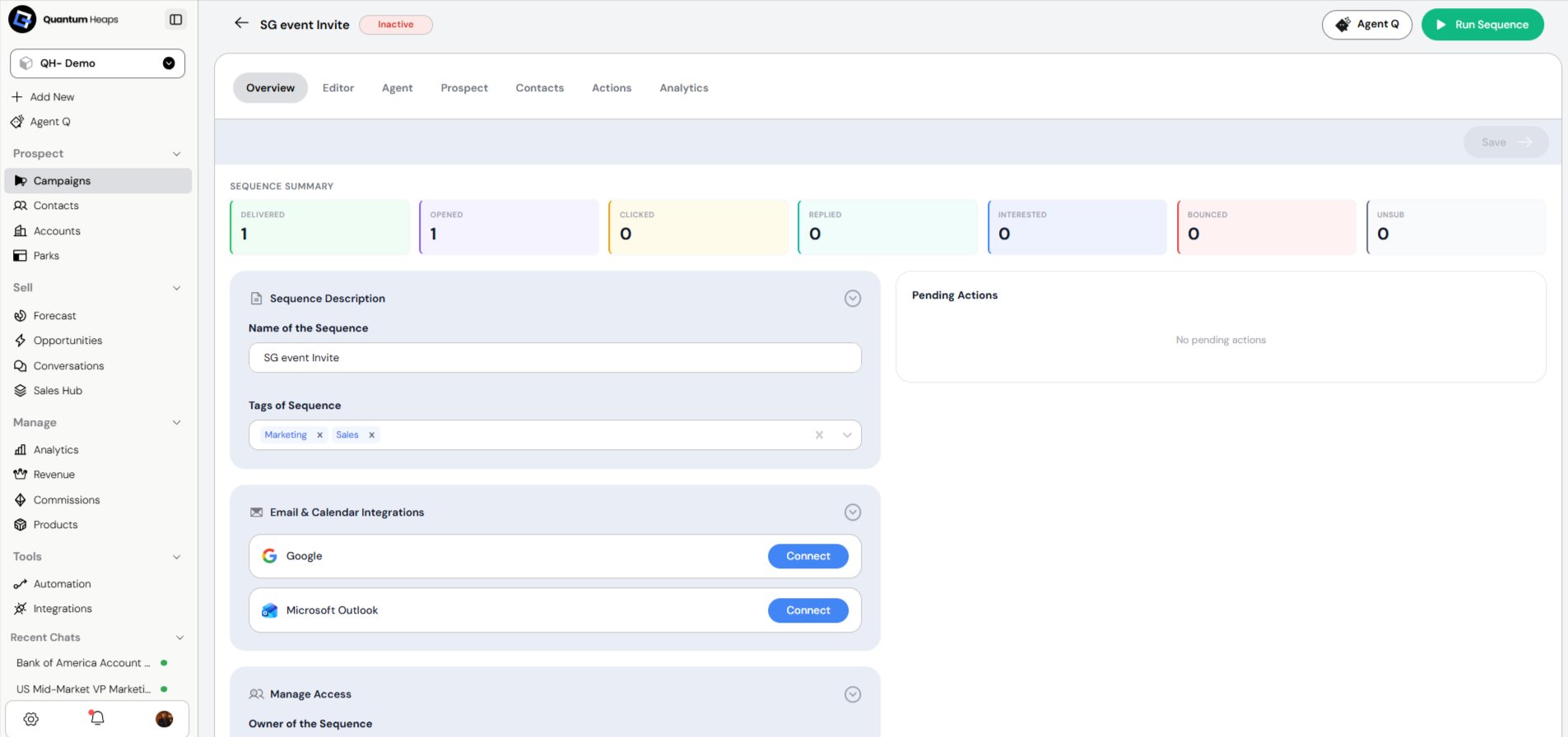
Overview tab will open, allowing you to add edit Email & Calendar Integrations, Name of the Sequence, Tags of Sequence, Manage Access
- Navigate to Campaign module in Quantum Heaps
- Click on sequence
- Select Create Sequence from the top‑right corner
- Enter the Sequence name and click Create Sequence
- After creation, the overview tab will open, allowing you to add edit Email & Calendar Integrations, Name of the Sequence, Tags of Sequence, Manage Access
- Click on Editor Add multiple sequence steps and configure rules for when and how the sequence will run
- Save the sequence and active the sequence.
- From the top left of the editor page, click on Contacts
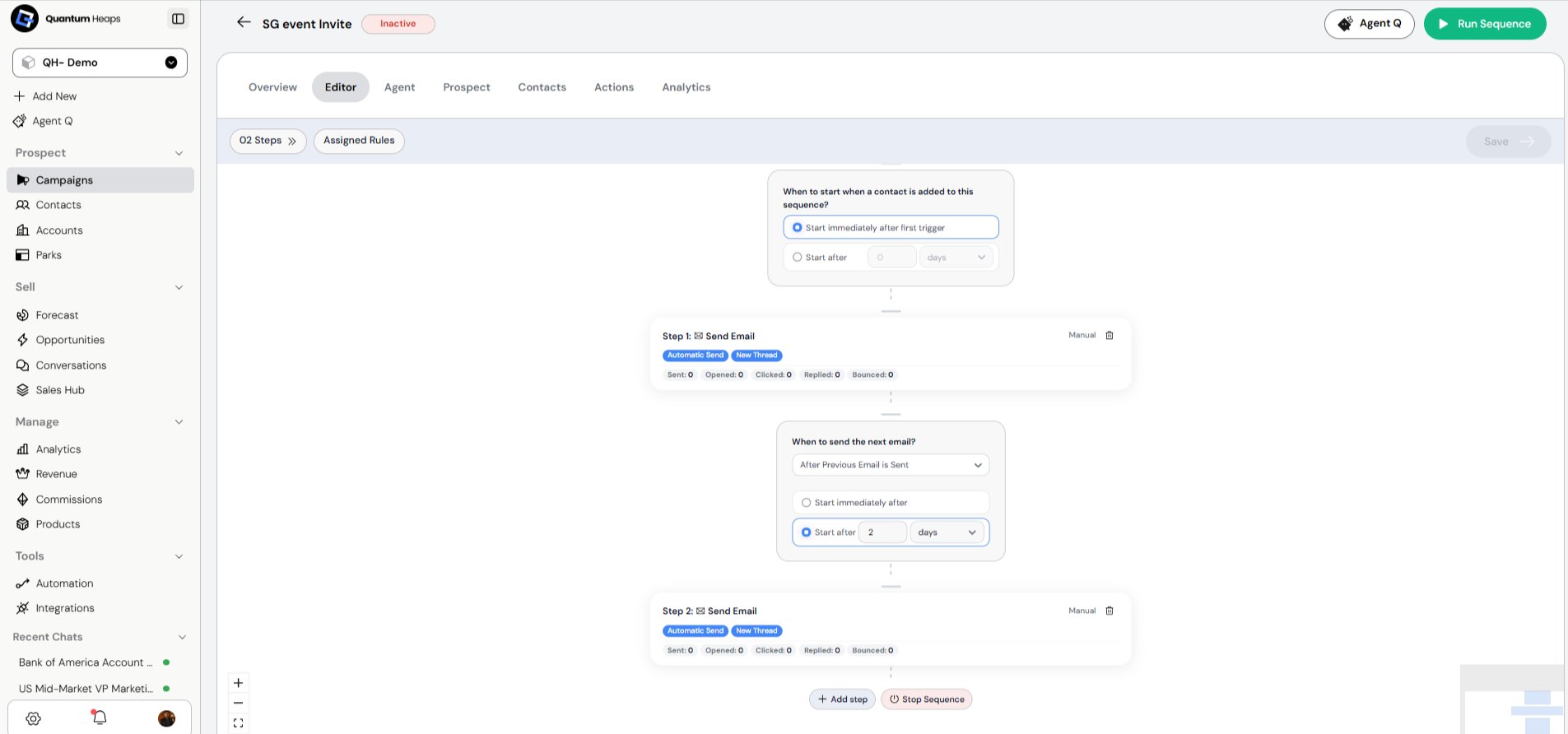
Add different steps and logics for the sequence
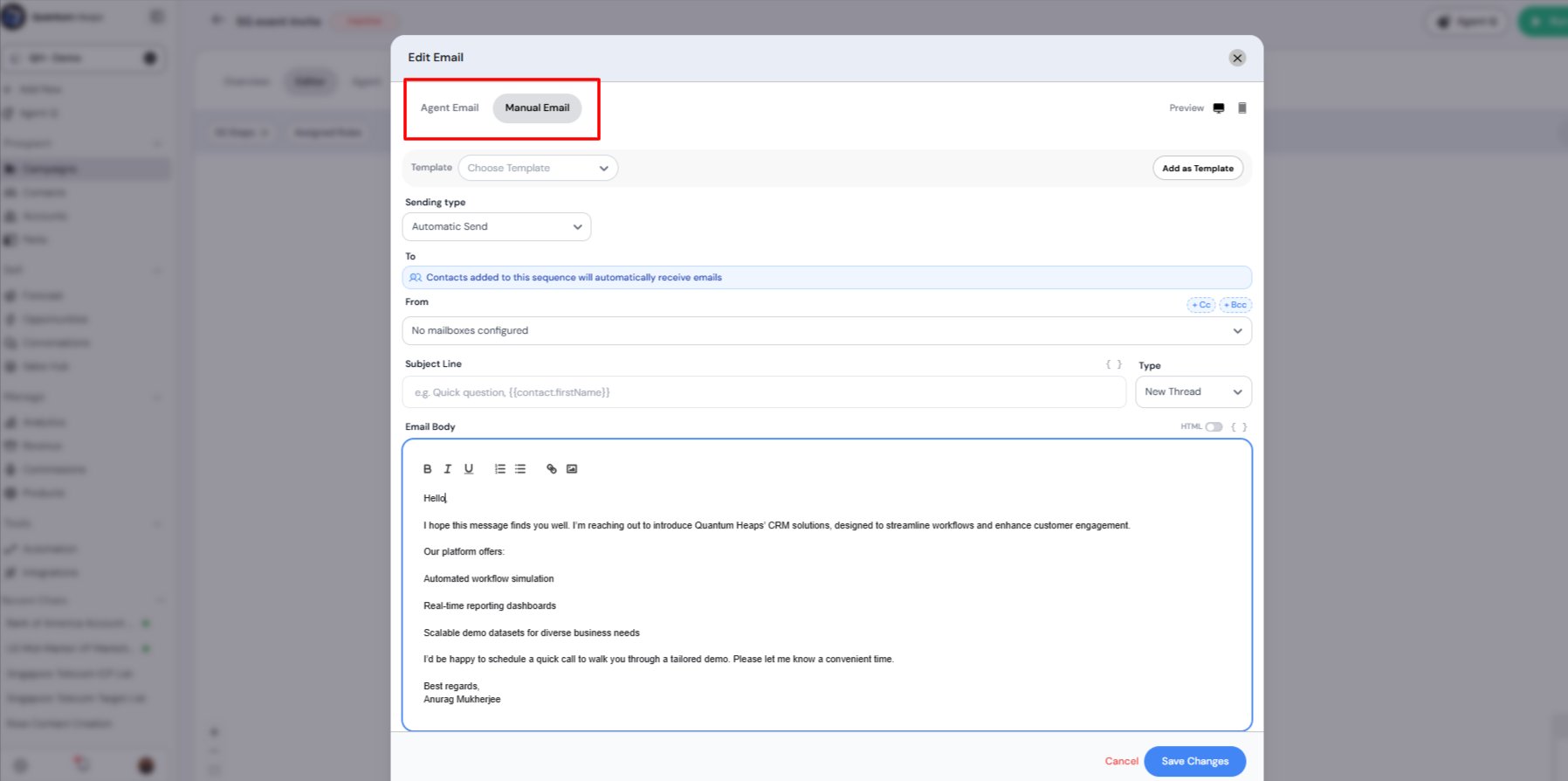
You can write emails manually and with agent email
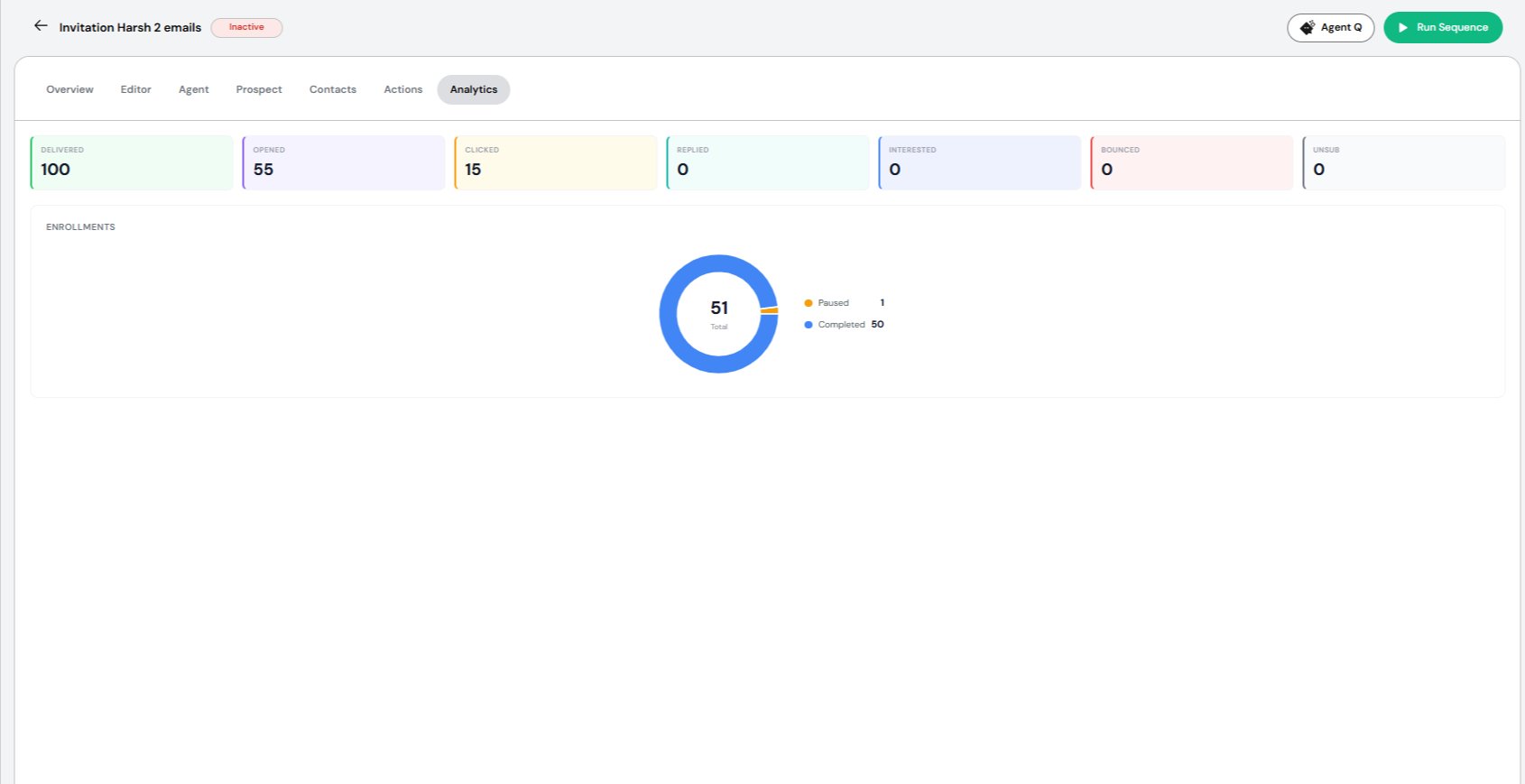
- Emails Delivered
- Emails Opened
- Links Clicked
- Responses Received
- Prospects marked as Interested
- Emails Bounced
- Contacts who Unsubscribed
FAQ
What is the Campaign module used for?It’s where marketing and sales manage outreach end-to-end — building an ICP, running events, sending email sequences, capturing leads through forms, and enriching lead data. What are the four working areas inside Campaigns?
Events, Email Sequences, Forms, and Settings (for custom fields, stages, and tags). Can a lead be either a contact or an account?
Yes — Campaigns tracks both contacts and accounts as leads being targeted for outreach. Leads What are the ways to add a lead?
From Leads > Add New: Add Contact Manually, Add Contact via GTM, Add Account Manually, Add Account via GTM, or Import Lead into the System for bulk adds. What does “via GTM” mean?
It pulls the contact or account automatically from a connected GTM (go-to-market) source instead of you entering the details yourself.