> ## Documentation Index
> Fetch the complete documentation index at: https://docs.quantumheaps.com/llms.txt
> Use this file to discover all available pages before exploring further.
# Sales Hub Settings
\*\*Overview:-\*\*Sales Hub Settings is where admins organize the asset library into categories — keeping decks, brochures, battlecards, and other sales content grouped logically so reps can find what they need quickly.
### **Where to Find It**
1. Click the **Settings** icon in the bottom-left corner
2. Select **Sales Hub Settings** from the sidebar
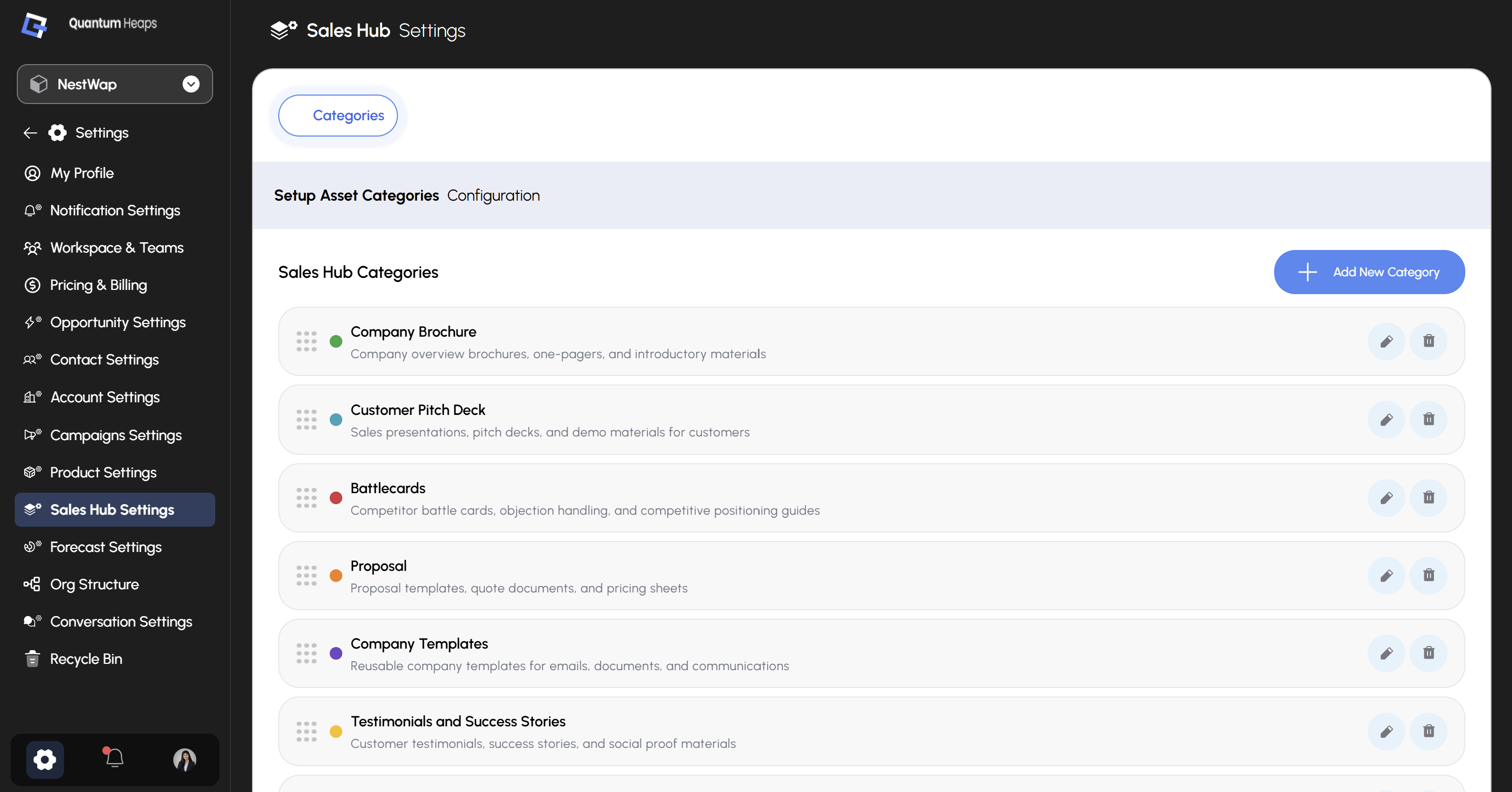 A single **Categories** tab sits at the top.
### **Sales Hub Categories**
The main view lists every category currently configured, each shown with:
* A **color dot** for quick visual identification
* The category **name** and a short **description** of what belongs in it
* **Edit** (pencil) and **Delete** (trash) icons on the right
* A drag handle (⠿) on the left of each row to reorder categories
Out of the box, Quantum Heaps ships with several starter categories:
| **Category** | **What it's for** |
| :----------------------------------- | :------------------------------------------------------------------------------ |
| **Company Brochure** | Company overview brochures, one-pagers, and introductory materials |
| **Customer Pitch Deck** | Sales presentations, pitch decks, and demo materials for customers |
| **Battlecards** | Competitor battle cards, objection handling, and competitive positioning guides |
| **Proposal** | Proposal templates, quote documents, and pricing sheets |
| **Company Templates** | Reusable company templates for emails, documents, and communications |
| **Testimonials and Success Stories** | Customer testimonials, success stories, and social proof materials |
###
A single **Categories** tab sits at the top.
### **Sales Hub Categories**
The main view lists every category currently configured, each shown with:
* A **color dot** for quick visual identification
* The category **name** and a short **description** of what belongs in it
* **Edit** (pencil) and **Delete** (trash) icons on the right
* A drag handle (⠿) on the left of each row to reorder categories
Out of the box, Quantum Heaps ships with several starter categories:
| **Category** | **What it's for** |
| :----------------------------------- | :------------------------------------------------------------------------------ |
| **Company Brochure** | Company overview brochures, one-pagers, and introductory materials |
| **Customer Pitch Deck** | Sales presentations, pitch decks, and demo materials for customers |
| **Battlecards** | Competitor battle cards, objection handling, and competitive positioning guides |
| **Proposal** | Proposal templates, quote documents, and pricing sheets |
| **Company Templates** | Reusable company templates for emails, documents, and communications |
| **Testimonials and Success Stories** | Customer testimonials, success stories, and social proof materials |
###
**Adding a Category**
Click **+ Add New Category**, then fill in:
* **Category Name** (required) — e.g., Marketing Materials
* **Description** (optional) — describe the category's purpose
Click **Save** to create it, or **Discard** to cancel.
### **Editing a Category**
Click the pencil icon on any category to open **Edit Category**, update the name or description, then **Save** or **Discard**.