> ## Documentation Index
> Fetch the complete documentation index at: https://docs.quantumheaps.com/llms.txt
> Use this file to discover all available pages before exploring further.
# Product Settings
\*\*Overview:-\*\*Product Settings is where admins organize the product catalog into categories — a simpler settings page than most other modules, since it's focused on one thing: keeping products grouped logically.
### **Where to Find It**
1. Click the **Settings** icon in the bottom-left corner
2. Select **Product Settings** from the sidebar
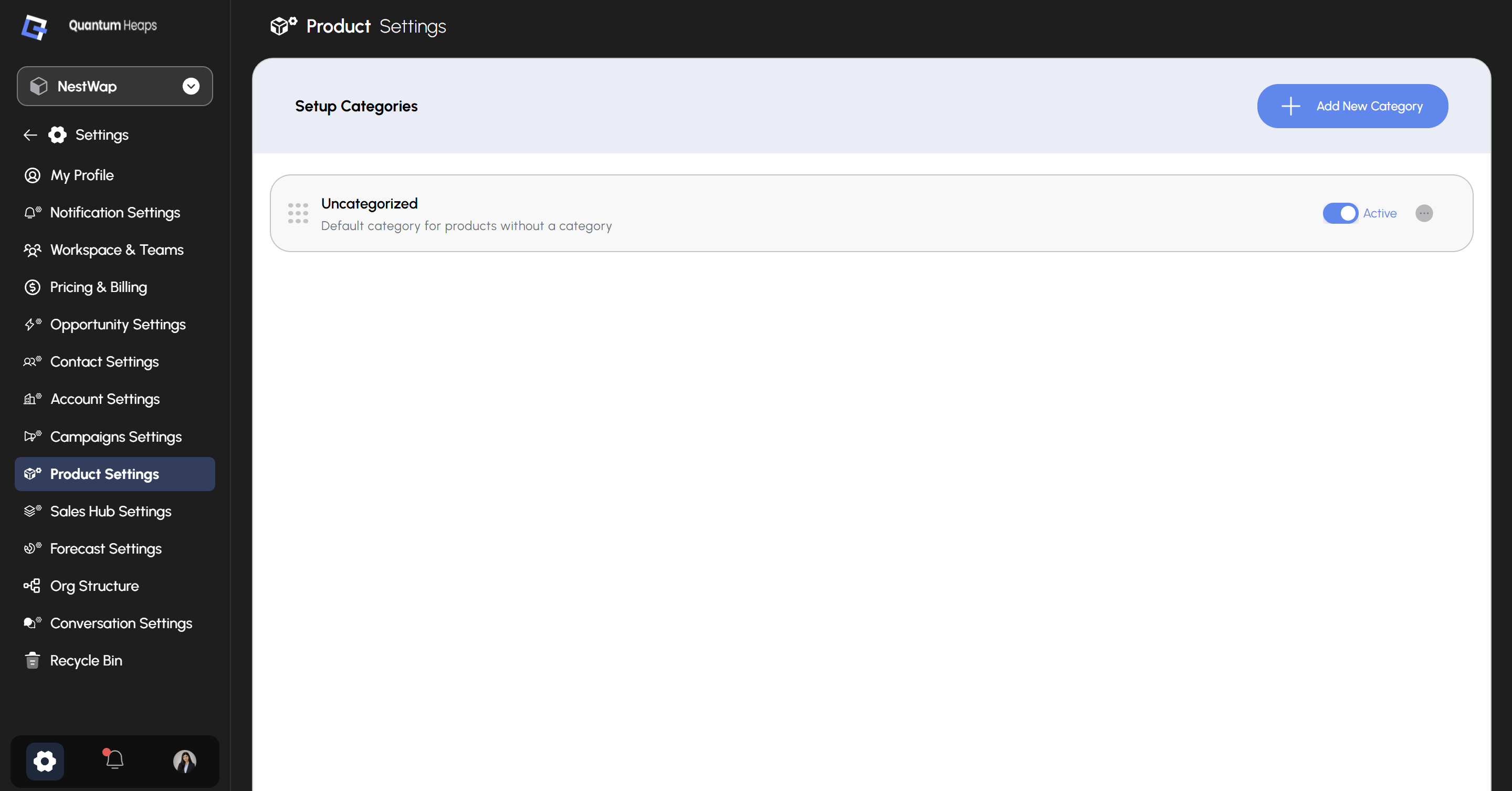 ### **Setup Categories**
The main view lists every category currently configured, each with:
* An **Active** toggle — controls whether the category is available for selection when creating or editing a product
* A **⋯** menu — access **Edit** or other row-level actions
* A drag handle (⠿) on the left of each row to reorder categories
**Uncategorized** is a built-in default category for products that don't have one assigned — it can't be deleted, since it's the fallback.
### **Adding a Category**
Click **+ Add New Category**, then fill in:
* **Product Category Name** (required) — e.g., Software, Hardware, Services
* **Description** (optional) — describe what belongs in this category
* **Active** — checked by default; uncheck to create it as inactive
Click **Save** to create it, or **Discard** to cancel.
### **Editing a Category**
Open the **⋯** menu on any category and select Edit to update its name, description, or Active status. The same **Save** / **Discard** options apply.
**Note:** Unchecking **Active** removes the category from selection when creating or editing products — it won't delete products already assigned to it, but the category itself becomes unavailable for new assignments.
### **Setup Categories**
The main view lists every category currently configured, each with:
* An **Active** toggle — controls whether the category is available for selection when creating or editing a product
* A **⋯** menu — access **Edit** or other row-level actions
* A drag handle (⠿) on the left of each row to reorder categories
**Uncategorized** is a built-in default category for products that don't have one assigned — it can't be deleted, since it's the fallback.
### **Adding a Category**
Click **+ Add New Category**, then fill in:
* **Product Category Name** (required) — e.g., Software, Hardware, Services
* **Description** (optional) — describe what belongs in this category
* **Active** — checked by default; uncheck to create it as inactive
Click **Save** to create it, or **Discard** to cancel.
### **Editing a Category**
Open the **⋯** menu on any category and select Edit to update its name, description, or Active status. The same **Save** / **Discard** options apply.
**Note:** Unchecking **Active** removes the category from selection when creating or editing products — it won't delete products already assigned to it, but the category itself becomes unavailable for new assignments.