> ## Documentation Index
> Fetch the complete documentation index at: https://docs.quantumheaps.com/llms.txt
> Use this file to discover all available pages before exploring further.
# Pricing & Billing Settings
Pricing & Billing is where you manage your subscription plan, review invoices, track your AI credit usage, and manage who's on your team — the commercial side of your workspace, all in one screen.
### **Where to Find It**
1. Click the **Settings** icon in the bottom-left corner
2. Select **Pricing & Billing** from the sidebar
 ### **Current Plan**
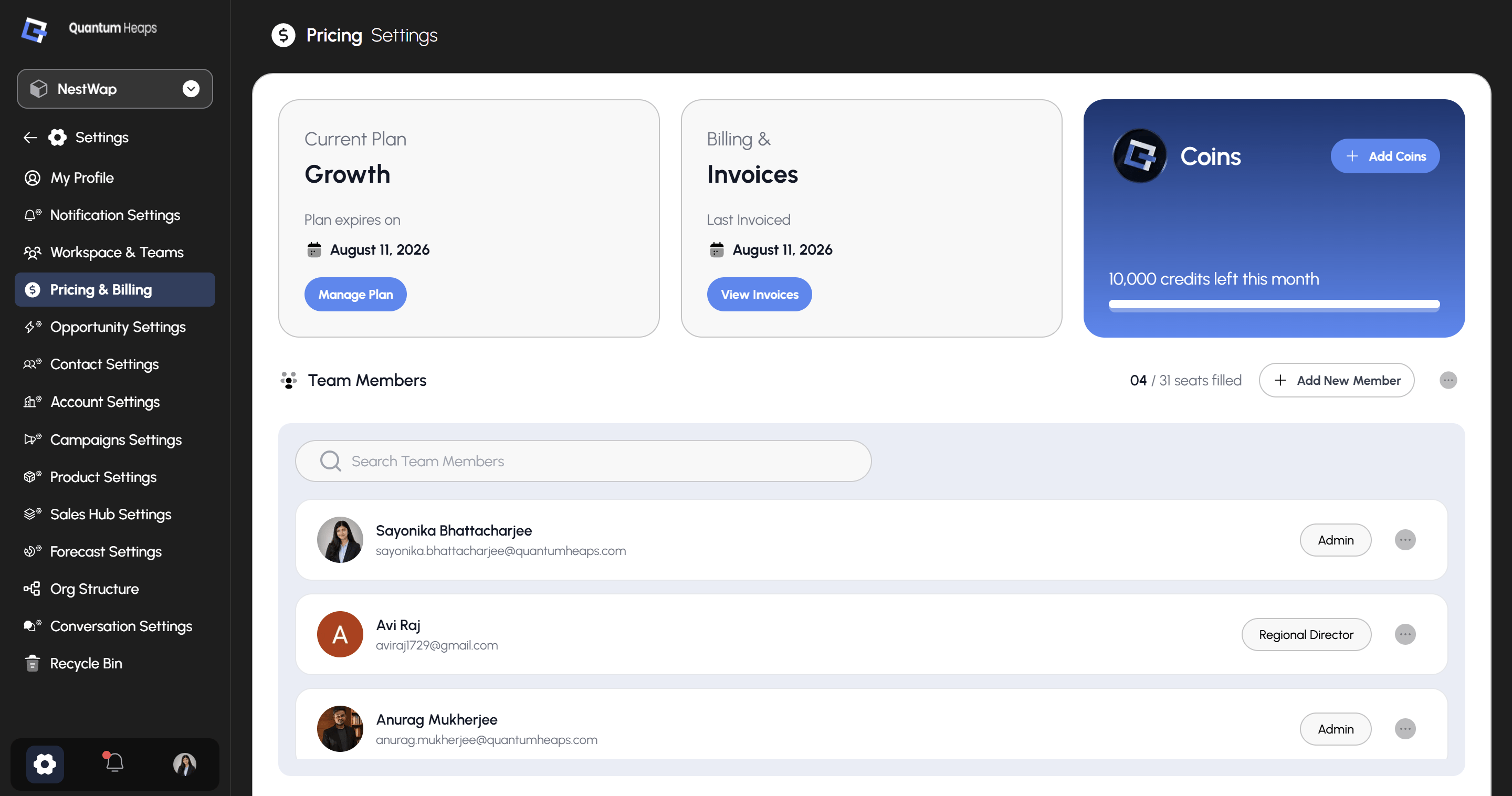
Shows your active subscription (e.g., **Growth**) and its expiry date. Click **Manage Plan** to upgrade, downgrade, or make changes to your subscription.
### **Billing & Invoices**
Shows the date of your **Last Invoiced** billing cycle. Click **View Invoices** to see your full billing history.
### **Coins**
Tracks your workspace's AI credit balance for the current billing period — shown as **X credits left this month** with a usage bar. Click **+ Add Coins** to purchase additional credits if you need more than your plan includes.
### **Team Members**
This section shows your seat usage (e.g., **02 / 04 seats filled**) and lets you manage who's on your team:
* **Search Team Members** — find a specific person by name or email
* **+ Add New Member** — invite someone new to fill an open seat
* Each member's row shows their **name**, **email**, and current **role** (e.g., Admin, Creator)
* Click the **⋯** menu next to a member to change their role or remove them
* Click the **⋯** menu next to Add New Member for additional team-wide actions
### **Current Plan**
Shows your active subscription (e.g., **Growth**) and its expiry date. Click **Manage Plan** to upgrade, downgrade, or make changes to your subscription.
### **Billing & Invoices**
Shows the date of your **Last Invoiced** billing cycle. Click **View Invoices** to see your full billing history.
### **Coins**
Tracks your workspace's AI credit balance for the current billing period — shown as **X credits left this month** with a usage bar. Click **+ Add Coins** to purchase additional credits if you need more than your plan includes.
### **Team Members**
This section shows your seat usage (e.g., **02 / 04 seats filled**) and lets you manage who's on your team:
* **Search Team Members** — find a specific person by name or email
* **+ Add New Member** — invite someone new to fill an open seat
* Each member's row shows their **name**, **email**, and current **role** (e.g., Admin, Creator)
* Click the **⋯** menu next to a member to change their role or remove them
* Click the **⋯** menu next to Add New Member for additional team-wide actions