> ## Documentation Index
> Fetch the complete documentation index at: https://docs.quantumheaps.com/llms.txt
> Use this file to discover all available pages before exploring further.
# Notification Settings
Notification Settings controls which events trigger a notification for you — broken out by module, so you can fine-tune alerts for Contacts, Accounts, Opportunities, Conversations, and Tasks separately instead of one blanket on/off switch.
### **Where to Find It**
1. Click the **Settings** icon in the bottom-left corner
2. Select **Notification Settings** from the sidebar
3. Choose a module tab at the top — **Contacts**, **Accounts**, **Opportunities**, **Conversations**, or **Tasks**
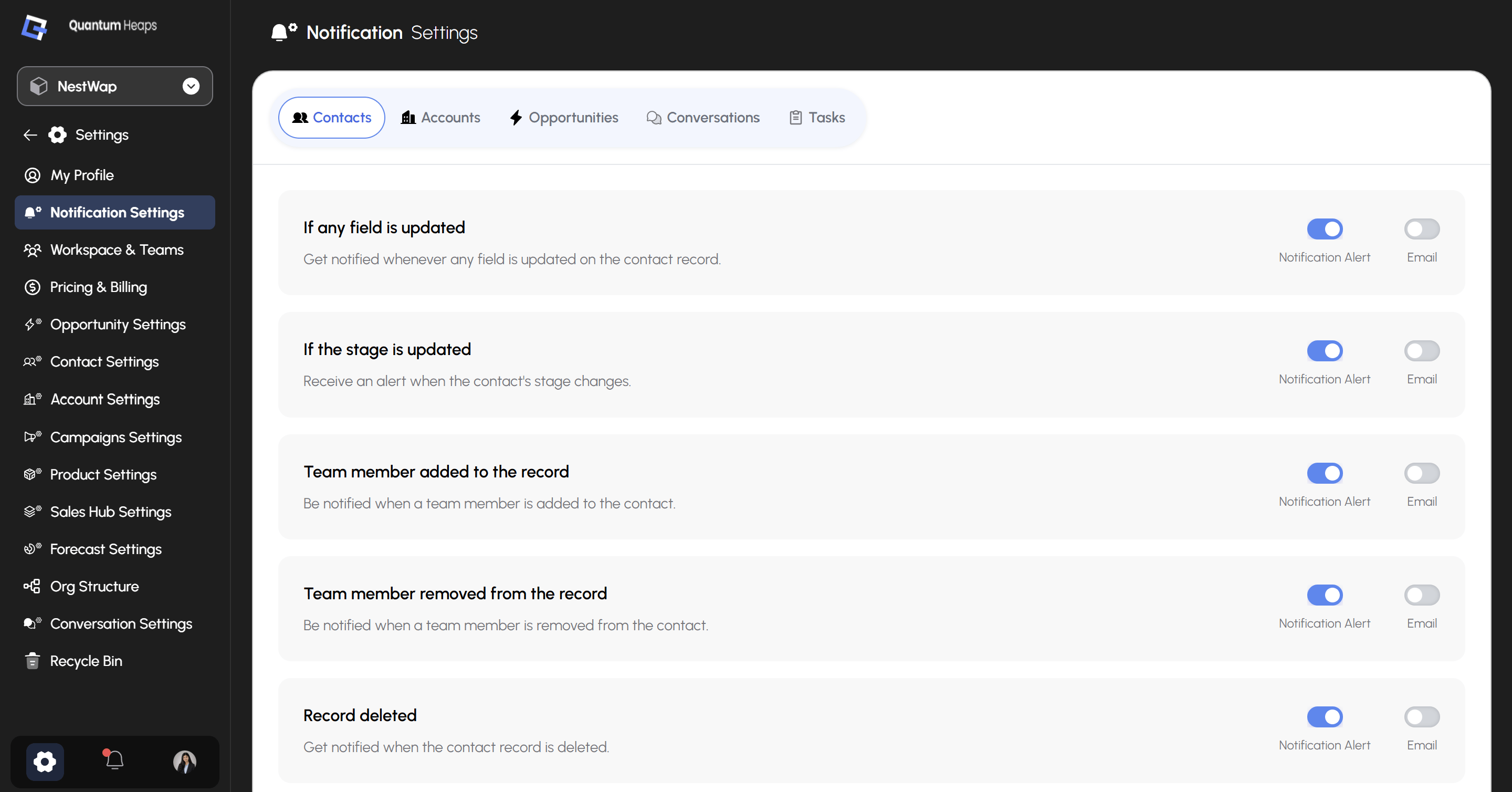 Each tab shows its own list of events specific to that module.
### **How Notifications Are Structured**
Every event has two independent toggles:
| **Toggle** | **What it controls** |
| :--------------------- | :----------------------------------------- |
| **Notification Alert** | In-app notification when the event happens |
| **Email** | Email notification when the event happens |
You can turn either one on or off per event — for example, keep in-app alerts on for stage changes but skip the email, or the reverse.
## **Contacts Tab**
The Contacts tab includes notification toggles for:
| **Event** | **What it notifies you about** |
| :-------------------------------------- | :----------------------------------------- |
| **If any field is updated** | Any field is changed on the contact record |
| **If the stage is updated** | The contact's stage changes |
| **Team member added to the record** | A team member is added to the contact |
| **Team member removed from the record** | A team member is removed from the contact |
| **Record deleted** | The contact record is deleted |
## **Other Module Tabs**
**Accounts**, **Opportunities**, **Conversations**, and **Tasks** each have their own equivalent set of event-based toggles, following the same Notification Alert / Email pattern as Contacts — configured independently per module so your alert preferences can differ across each part of the CRM.
Each tab shows its own list of events specific to that module.
### **How Notifications Are Structured**
Every event has two independent toggles:
| **Toggle** | **What it controls** |
| :--------------------- | :----------------------------------------- |
| **Notification Alert** | In-app notification when the event happens |
| **Email** | Email notification when the event happens |
You can turn either one on or off per event — for example, keep in-app alerts on for stage changes but skip the email, or the reverse.
## **Contacts Tab**
The Contacts tab includes notification toggles for:
| **Event** | **What it notifies you about** |
| :-------------------------------------- | :----------------------------------------- |
| **If any field is updated** | Any field is changed on the contact record |
| **If the stage is updated** | The contact's stage changes |
| **Team member added to the record** | A team member is added to the contact |
| **Team member removed from the record** | A team member is removed from the contact |
| **Record deleted** | The contact record is deleted |
## **Other Module Tabs**
**Accounts**, **Opportunities**, **Conversations**, and **Tasks** each have their own equivalent set of event-based toggles, following the same Notification Alert / Email pattern as Contacts — configured independently per module so your alert preferences can differ across each part of the CRM.