> ## Documentation Index
> Fetch the complete documentation index at: https://docs.quantumheaps.com/llms.txt
> Use this file to discover all available pages before exploring further.
# Conversation Settings
\*\*Overview:-\*\*Conversation Settings is where admins configure how meetings get recorded, synced, and analyzed across the workspace — the same "Quantum Bot" recording and AI analysis feature referenced in the Conversations module, plus how conversation channels are managed.
### **Where to Find It**
1. Click the **Settings** icon in the bottom-left corner
2. Select **Conversation Settings** from the sidebar'
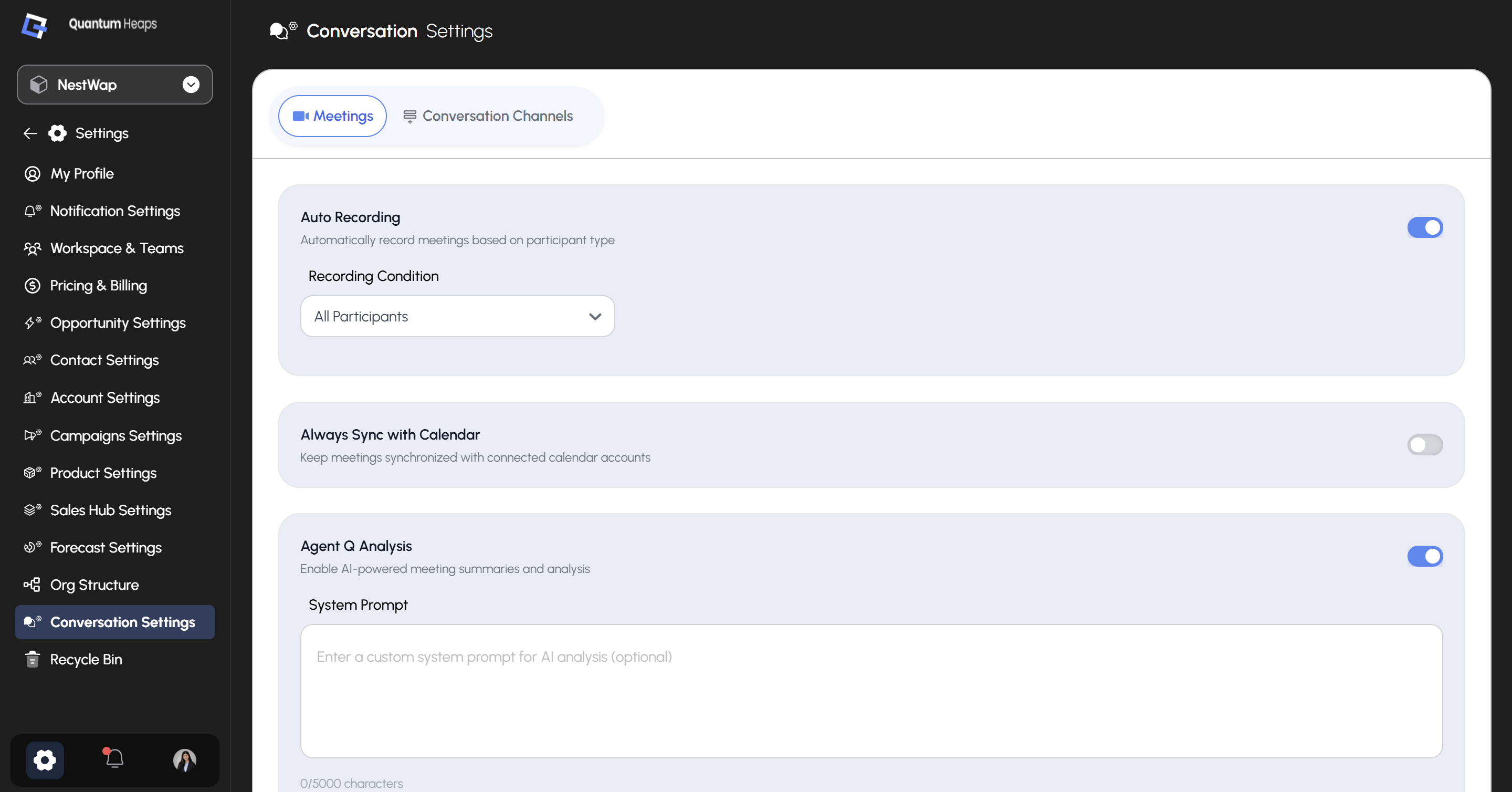 Two tabs sit across the top: **Meetings** and **Conversation Channels**.
### **Meetings**
#### **Auto Recording**
Automatically records meetings based on who's attending, instead of requiring someone to manually toggle recording on every virtual meeting.
Once **Auto Recording** is turned on, set the **Recording Condition**:
| **Option** | **Records when…** |
| :------------------------ | :---------------------------------------------------- |
| **All Participants** | Every meeting, regardless of who's attending |
| **External Participants** | At least one participant is outside your organization |
| **Internal Participants** | Only your own team members are attending |
#### **Always Sync with Calendar**
Keeps meetings synchronized with your connected calendar accounts — turn this on if you want scheduling changes on your calendar to automatically reflect in Conversations.
#### **Agent Q Analysis**
Turns on AI-powered meeting summaries and analysis for logged meetings. Once enabled, you can optionally add a **System Prompt** — custom instructions that shape how Agent Q analyzes and summarizes your meetings, rather than relying on its default behavior.
### **Conversation Channels**
This tab manages the email and calendar accounts connected for logging conversations — the same Google/Outlook connections configured in Integrations, surfaced here for conversation-specific management.
Two tabs sit across the top: **Meetings** and **Conversation Channels**.
### **Meetings**
#### **Auto Recording**
Automatically records meetings based on who's attending, instead of requiring someone to manually toggle recording on every virtual meeting.
Once **Auto Recording** is turned on, set the **Recording Condition**:
| **Option** | **Records when…** |
| :------------------------ | :---------------------------------------------------- |
| **All Participants** | Every meeting, regardless of who's attending |
| **External Participants** | At least one participant is outside your organization |
| **Internal Participants** | Only your own team members are attending |
#### **Always Sync with Calendar**
Keeps meetings synchronized with your connected calendar accounts — turn this on if you want scheduling changes on your calendar to automatically reflect in Conversations.
#### **Agent Q Analysis**
Turns on AI-powered meeting summaries and analysis for logged meetings. Once enabled, you can optionally add a **System Prompt** — custom instructions that shape how Agent Q analyzes and summarizes your meetings, rather than relying on its default behavior.
### **Conversation Channels**
This tab manages the email and calendar accounts connected for logging conversations — the same Google/Outlook connections configured in Integrations, surfaced here for conversation-specific management.