> ## Documentation Index
> Fetch the complete documentation index at: https://docs.quantumheaps.com/llms.txt
> Use this file to discover all available pages before exploring further.
# Agent Studio
**Overview:** Quantum Heaps features an integrated Agent Studio that enables the creation of specialized sub‑agents. Each sub‑agent is purpose‑built for a specific task, with its own instructions, capabilities, and data access. This ensures that the agent operates with dedicated focus on the configured objective, rather than functioning as a general‑purpose assistant.
**What Agent Studio Is Used For**
Use Agent Studio to:
* Create a special agent focused on one job — like ICP discovery, lead scoring, or meeting prep
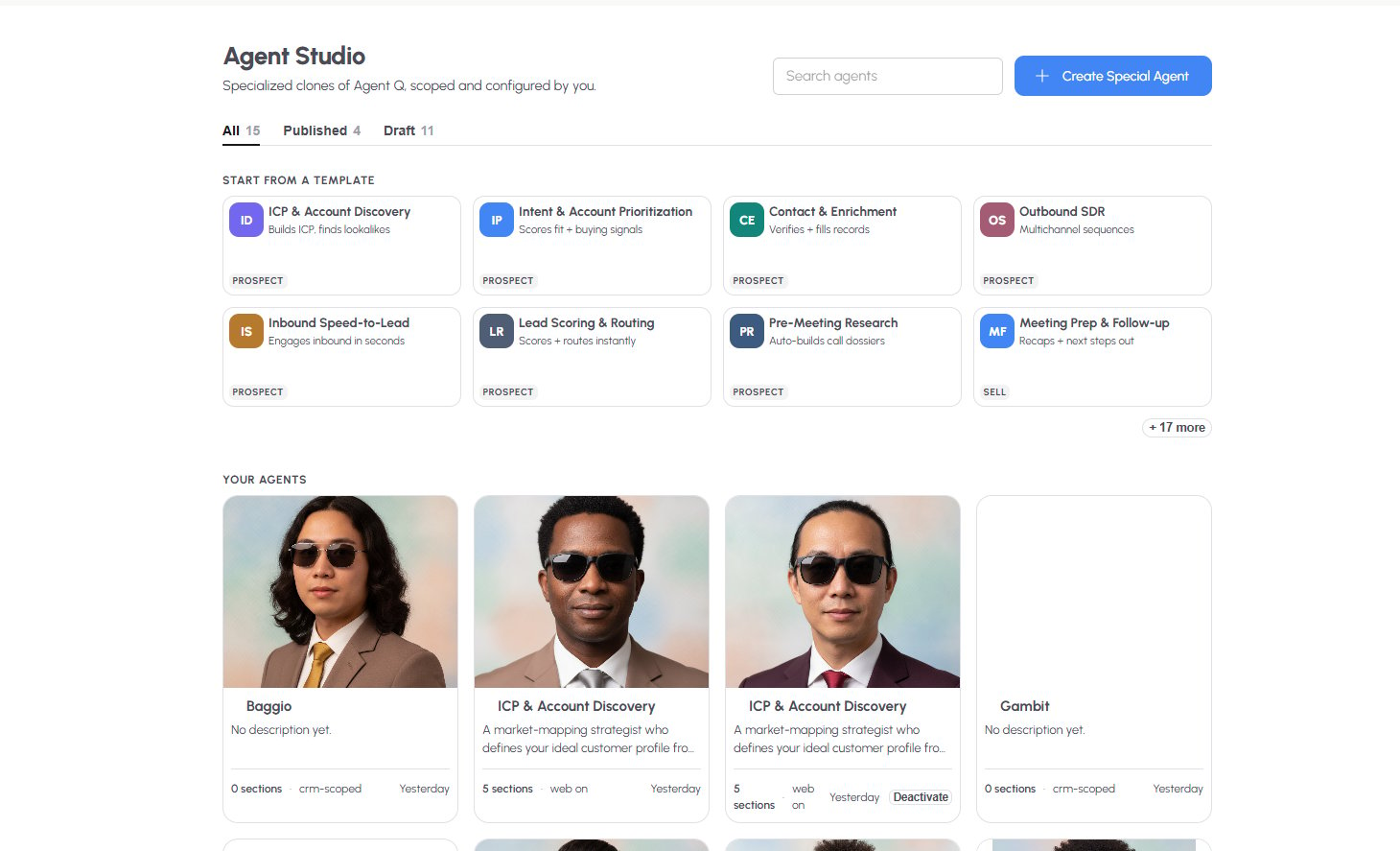
* Start from a pre-built template instead of writing instructions from scratch
* Control exactly which CRM modules and permissions each agent can access
* Manage a library of agents — published, draft, or deactivated
#### **Your Agents**
Below the templates, **Your Agents** shows every agent you've created as a card — name, description, number of configured sections, scope (e.g., "web on," "crm-scoped"), and when it was last edited. Active agents show a **Deactivate** button directly on the card. Click **+ Create special agent** to start a new one from scratch or from a template.
### **Building a Special Agent**
Click **+ Create Special Agent**, or open an existing agent, to configure it across several sections:
#### **Instructions**
Write what the agent should do when it runs — Quantum Heaps supports a detailed system prompt (up to 8,000 characters) where you typically define:
* **Core Responsibilities** — the numbered steps the agent follows (e.g., Define, Validate, Discover, Dedupe, Refresh)
* **Data Access** — what it can read vs. write, and where
* **Response Format** — how it should structure its output
#### **Knowledge Base**
Upload reference files — PDFs, docs, sheets, or images — that the agent should always have available, on every run. Click **Add reference files** or drag and drop directly onto the upload zone.